
On-device and offline
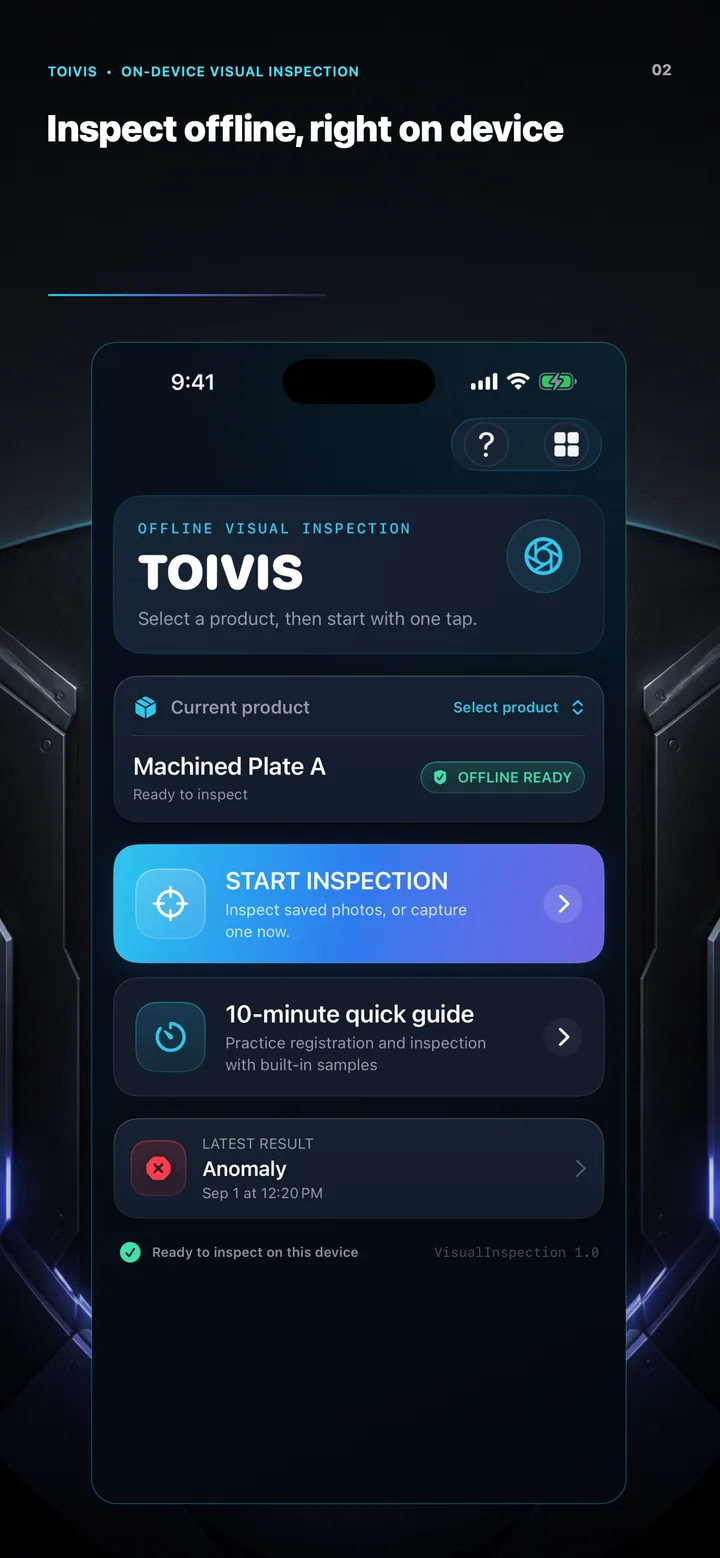
Train and inspect without uploading product images or AI models to a cloud service.
ON-DEVICE VISUAL INSPECTION
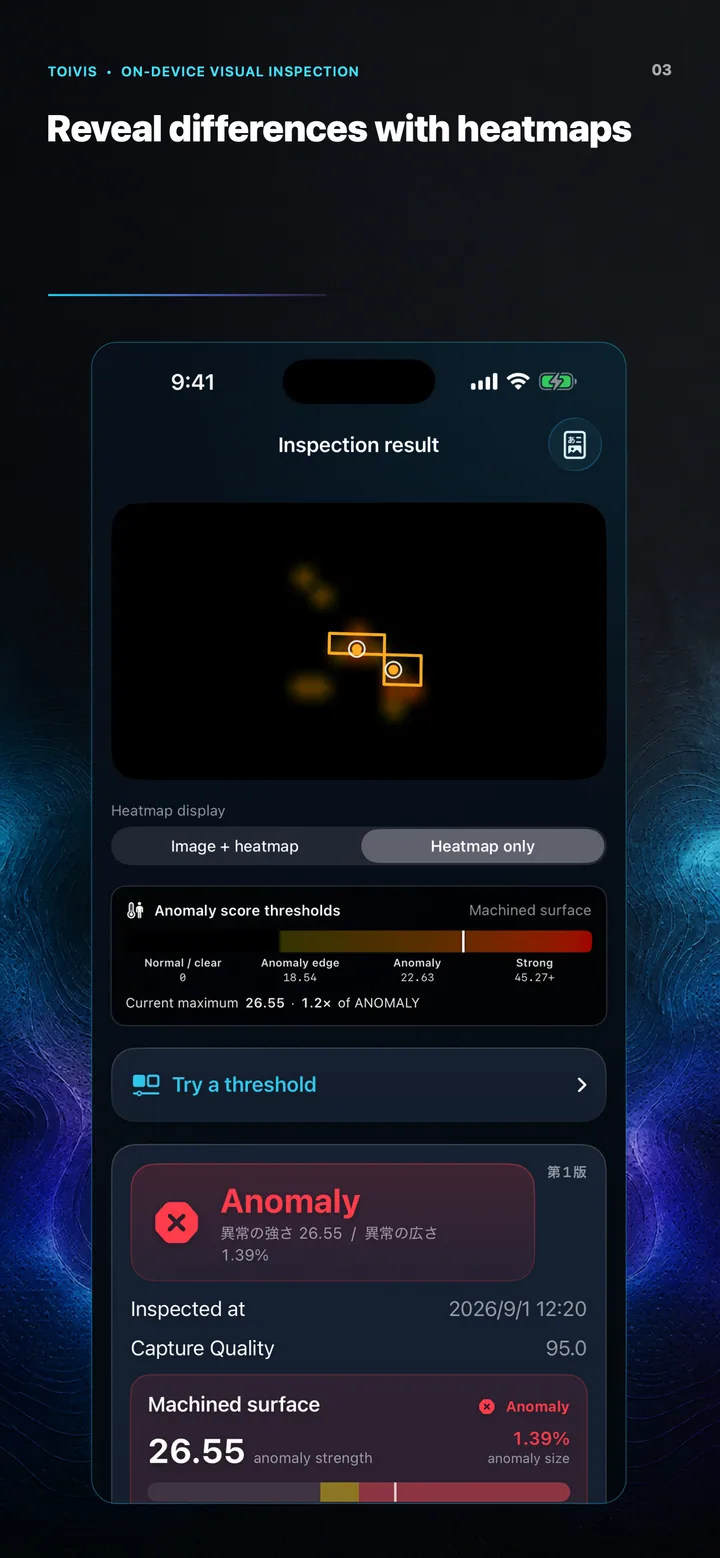
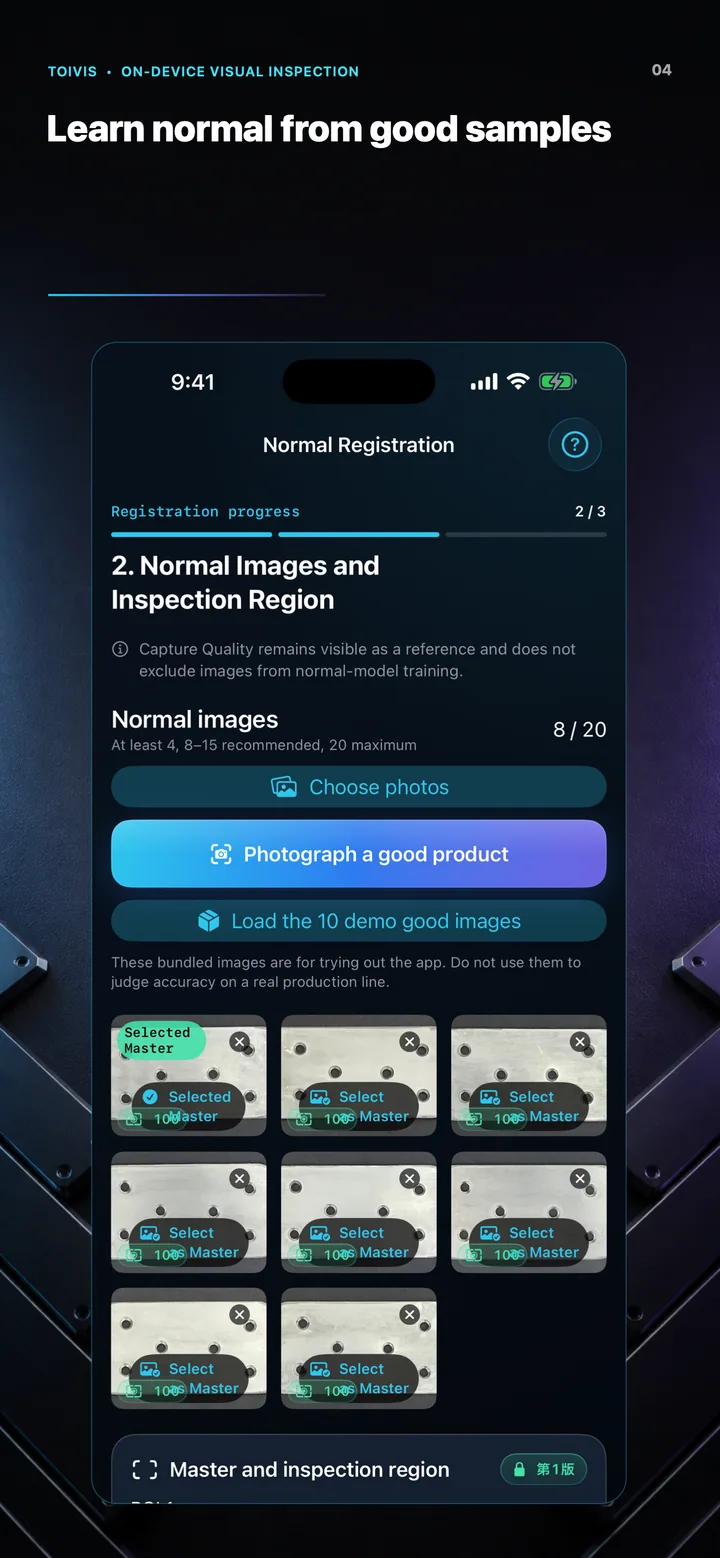
Learn what normal looks like from good samples, then reveal differences with heatmaps. Product images and AI models stay off the cloud—from setup through inspection history.
Designed for iOS 17 and later
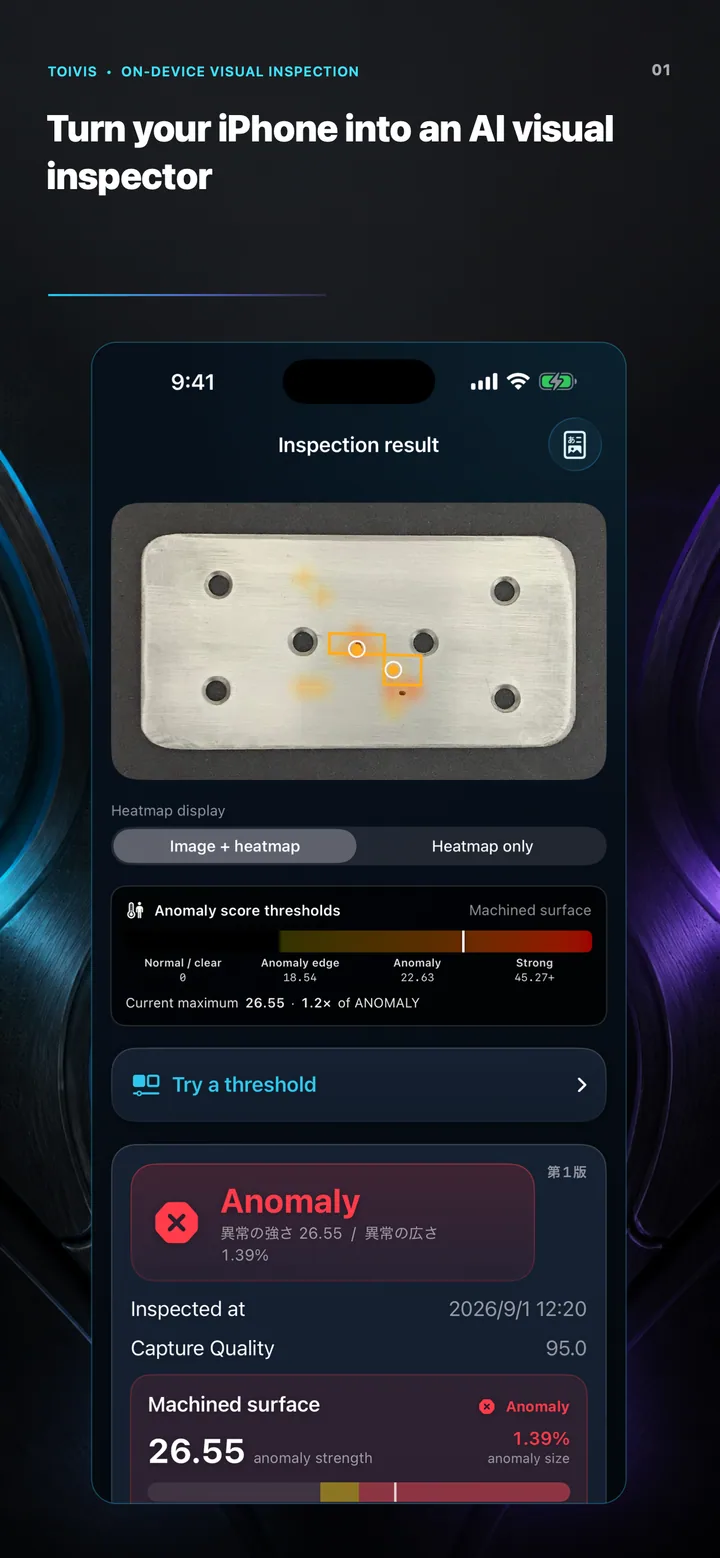
Train and inspect on iPhone
Keep inspecting without a network
See where differences appeared
REPEATABLE WORKFLOW
Bring checks that can vary by operator or shift into one consistent process built around good samples, an ROI, alignment, and recorded decisions. TOIVIS is designed to support—not replace—your quality procedures.
HOW IT WORKS
Register what good looks like once, then move naturally through inspection, review, and record keeping.
Register 4–20 normal images for each product.
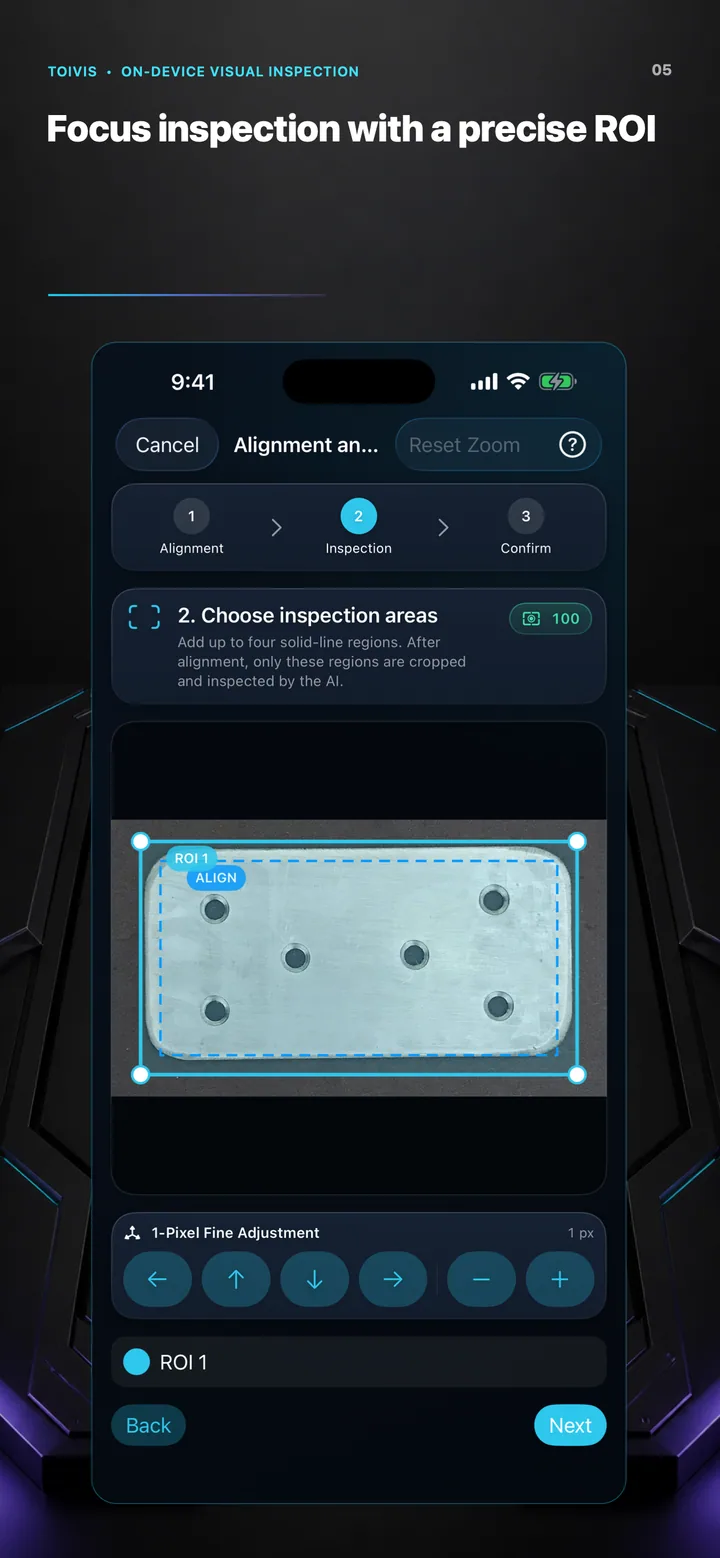
Optionally focus inspection on one precise region.
Build a model of the normal state directly on iPhone.
Align the image, then review the degree and location of differences.
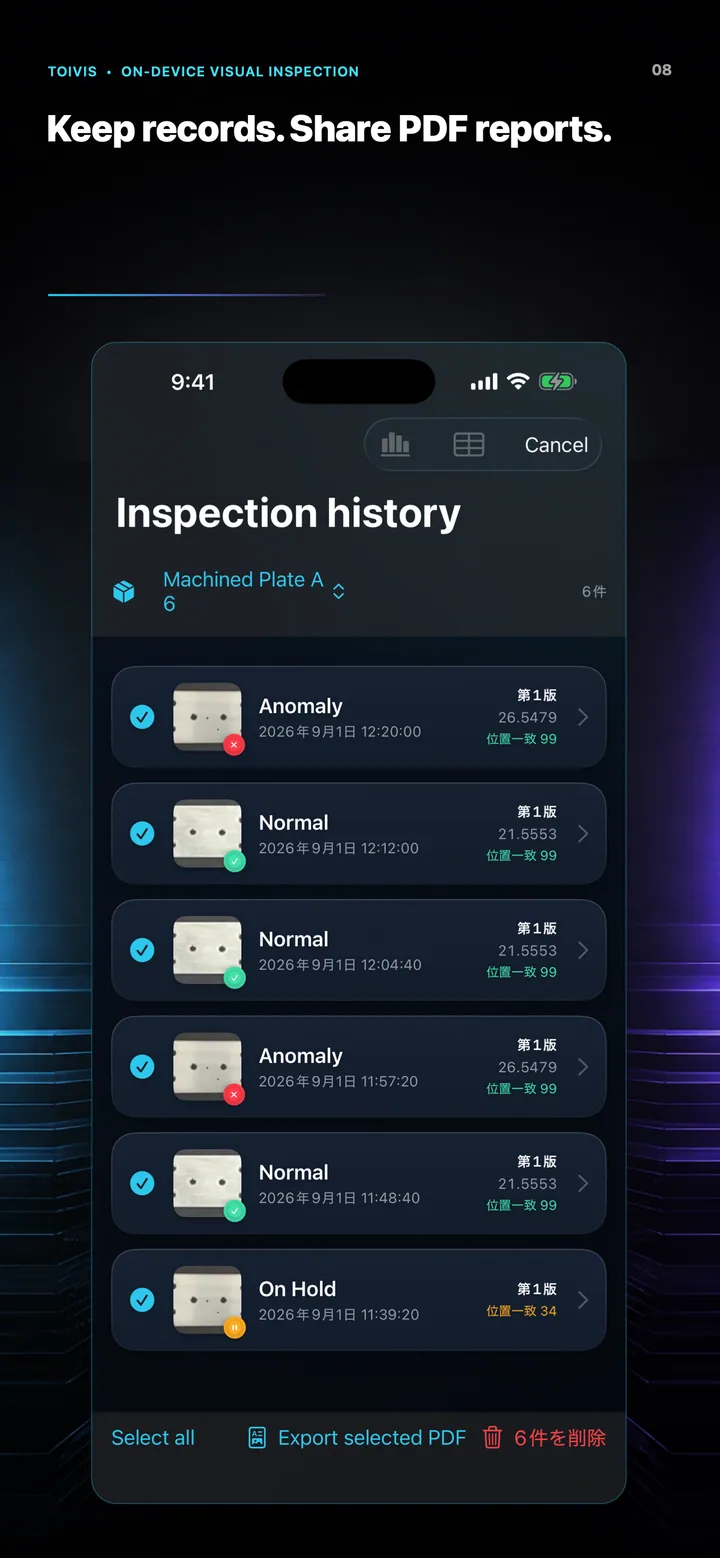
Save results, then export PDF reports or CSV history.
BUILT FOR THE FLOOR
Train and inspect without uploading product images or AI models to a cloud service.
Compensate for position, rotation, scale, and perspective before comparing against the learned normal state.
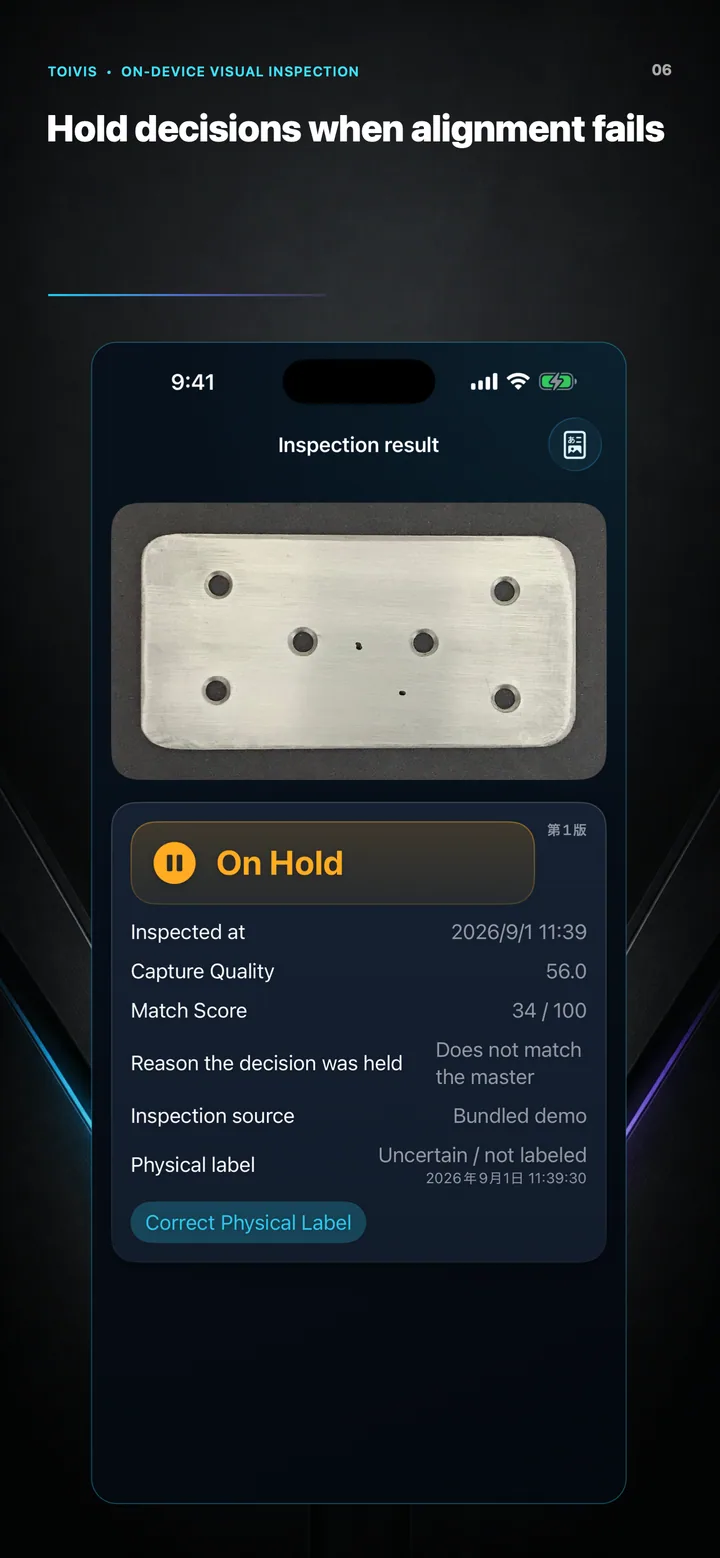
When image quality or alignment is insufficient, TOIVIS asks for review instead of forcing a pass or fail.
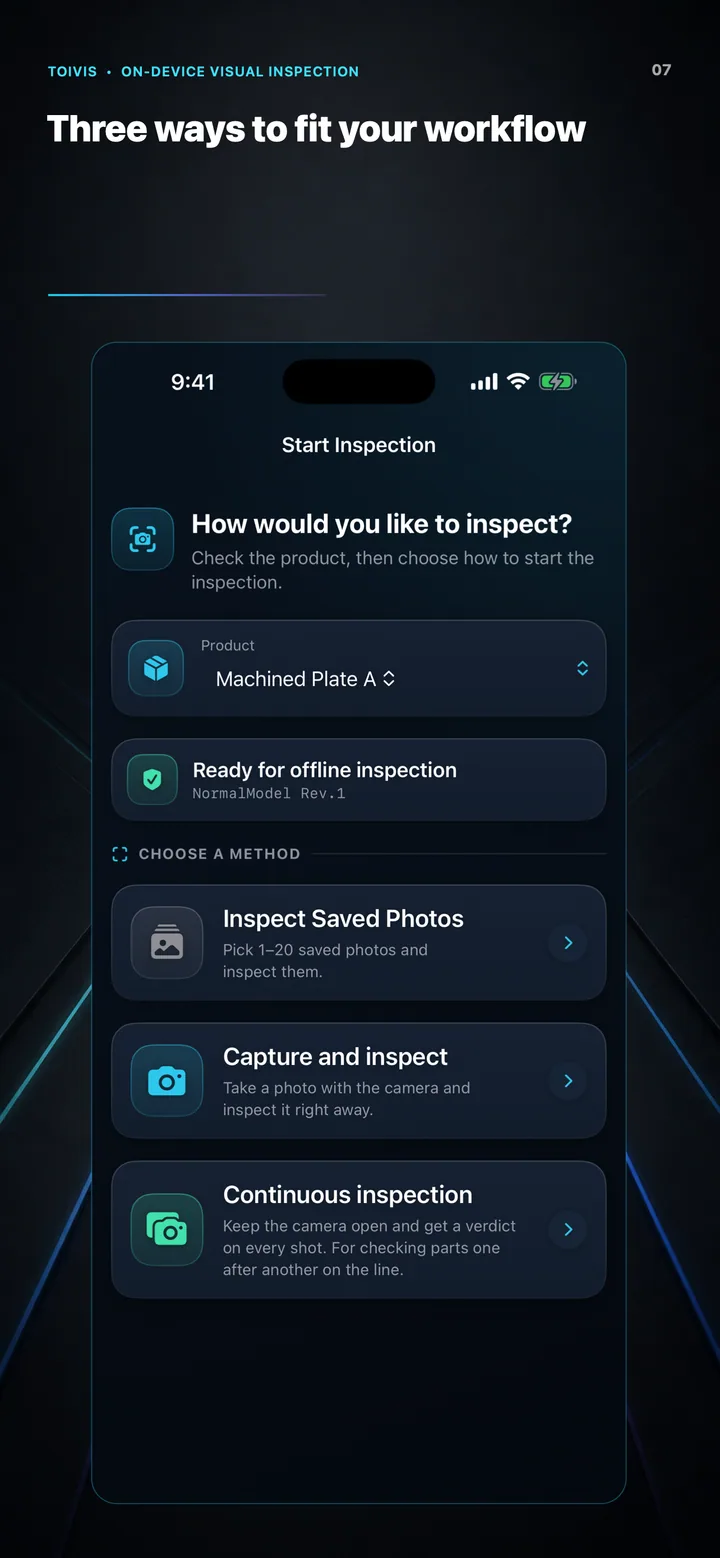
Use a saved image, capture one image on the spot, or keep the camera open for continuous inspection.
Keep the source image, heatmap, Capture Quality, Match Score, model revision, and decision together.
Export reports and history, or create a product backup only when you choose to.
28 SECOND PREVIEW
Good-sample setup, ROI, inspection, heatmaps, and history—shown using only real screens from the app.
REAL APP SCREENS
Every image below is captured from the working TOIVIS app. Swipe horizontally on a phone to explore.
PRIVACY BY DESIGN
TOIVIS uses no ads, tracking, accounts, or proprietary analytics SDKs. It uses the camera and photos you select only for inspection, and does not send product images, AI models, history, or usage data to the operator.
Read the Privacy Policy →Detection performance varies with the product, lighting, camera position, normal-image quality, ROI, and thresholds. Do not use an AI result as the sole quality decision; follow your organization’s quality procedures for final decisions.
TOIVIS FOR iPHONE
Start a structured inspection workflow from the iPhone already in your hand—without setting up a dedicated server.
DOWNLOAD ON THEDownload on the App Store